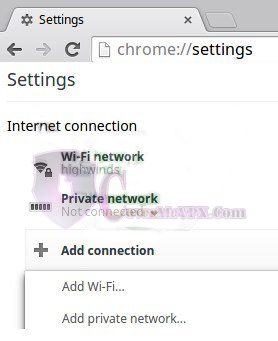
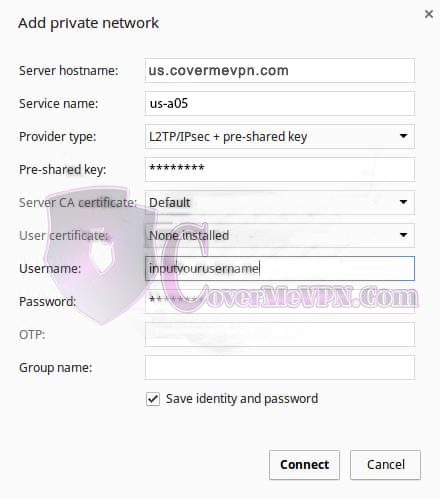
In the box that appears, enter the following:
- Server hostname: Enter the full server name (ex: us.covermevpn.com). For the ‘Server address’ field, fill in the server IP from our Dynamic VPN and Chines list or Mini Dynamic (dedicated VPN check our mail to you) according to your purchased package that you would like to connect.
- Service name: Accept the default entry or create your own.
- Provider type: L2TP/IPSEC + pre-shared key.
- Pre-shared Key: 12345678
- Server CA certificate: default.
- User certificate: leave blank.
- Username & Password: Your credentials for connecting to the VPN.
- OTP: leave blank.
- Group name: leave blank.
- Note: Save username & password combination is optional.
Click ‘Connect’ and you will now connect to the specific server you have configured. You can create multiple networks for different servers by doing this process again.