
It takes more than a private internet browser to go incognito. We’ll make your real IP address.
Unprotected


Want to use a VPN for X (Twitter)? CoverMeVPN is the best VPN for X, keeping you private and connected online quickly. It helps you bypass government censorship, unblock X at school, and stay updated on social media and breaking news.

Tweet freely! No restrictions on expressing thoughts and emotions.
Here’s the gist: a VPN for Twitter essentially creates a secure and private tunnel for your internet traffic. When you connect to a VPN server, your data is encrypted, and your device is assigned a new IP address based on the VPN server’s location. This process can effectively mask your school’s network, making it appear as if you’re browsing from a different, unrestricted location. Consequently, this might allow you to bypass the school’s content filters and unlock Twitter at School.
Think of it like this: the school’s network has a gatekeeper who says “No Twitter allowed.” A VPN is like having a secret underground passage that leads you out of the school’s network to a different location where the gatekeeper’s rules don’t apply.
However, it’s really important to consider your school’s policies regarding internet usage. While a VPN might technically unlock Twitter at School, using one to bypass school restrictions could have consequences, depending on the institution’s rules. It’s always wise to be aware of and respect these policies.
If using a VPN is a route you choose to explore (and if it aligns with school guidelines), selecting a reputable VPN service is key. Look for providers known for their strong encryption protocols, a wide range of server locations (choose one where Twitter isn’t blocked), and a clear privacy policy. Remember, the goal is a secure and private connection.
In summary, while a VPN for Twitter can be a technical means to unlock Twitter at School by masking your network and location, understanding and respecting your school’s internet policies should be your primary consideration. Responsible digital citizenship is always the best approach.
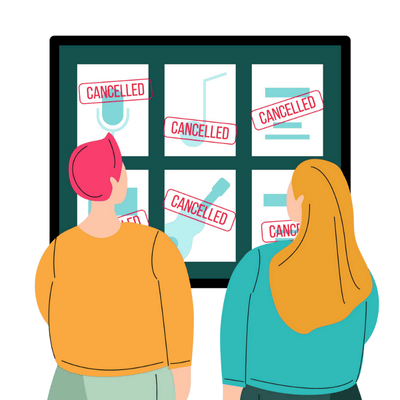
Why it matters: Governments in countries like China, Iran, and North Korea censor or block Twitter to control information.
VPN benefit: A VPN masks your real IP and reroutes your traffic through a server in another country, allowing unrestricted access to Twitter and other blocked sites.
Why it matters: Speaking out on Twitter about political or social issues can be dangerous.
VPN benefit: A VPN encrypts your traffic and hides your IP address, making it harder for authorities or ISPs to trace your online activity.
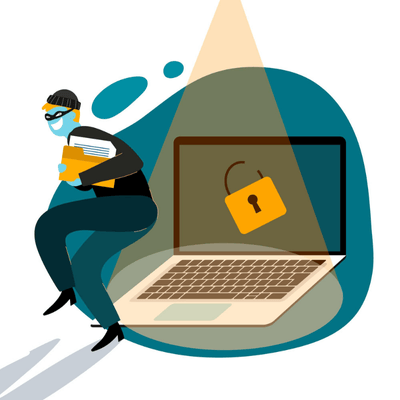
Why it matters: Tweets, messages, or links shared on Twitter could be monitored or intercepted.
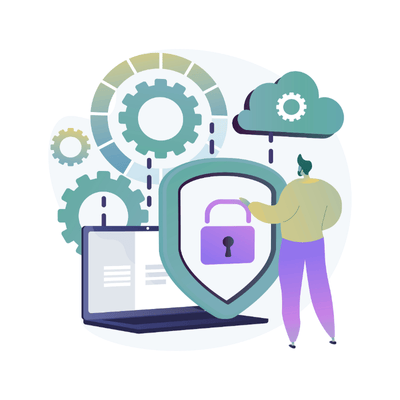
VPN benefit: With encryption, even if someone intercepts your data, they can’t read it. This is crucial for activists, journalists, or dissidents.
Why it matters: Government-blocked Twitter means citizens only see state-approved narratives.
VPN benefit: With access to Twitter, users can view uncensored news, world events, and alternative opinions in real time.
Why it matters: In many restricted countries, voicing opinions online can lead to arrests or surveillance.
VPN benefit: A VPN offers a layer of protection, making it safer to speak out without immediate fear of being tracked.
Why it matters: Twitter is important for marketing, brand management, remote work, and customer support.
VPN benefit: Professionals and companies in restricted countries can still operate on a global scale without censorship.
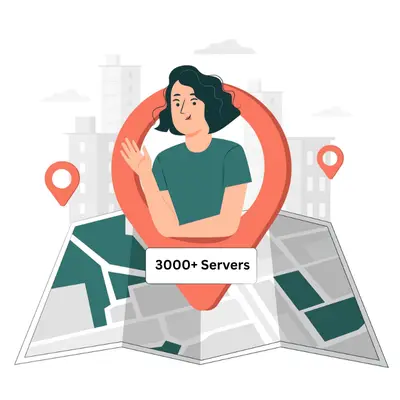
Unblock Twitter and stay connected from anywhere in the world. With over 3,000 servers globally, our VPN lets you bypass government censorship and geo-restrictions effortlessly—access Twitter and other restricted platforms securely, anytime.
Sometimes, access to Twitter might be blocked by governments, schools, or workplaces. A VPN can help bypass these restrictions by routing your internet connection through a server in a different location where Twitter is not blocked. This makes it appear as if you are browsing from that location, thus granting you access. For example, if your workplace blocks Twitter, connecting to a VPN server in another country would likely allow you to access it.
While a VPN is a common and generally reliable method, other less consistent methods might exist depending on the nature of the block. These could include using proxy servers or, in some cases, simply switching to a different network (like mobile data if Wi-Fi is restricted). However, VPNs offer the added benefit of encryption, enhancing your online privacy and security, which proxies often lack.
CoverMe VPN emphasizes ease of use with one-click installation and boasts a large number of dynamic IPs across many countries, which can be beneficial for bypassing geo-restrictions. Some users have also reported stable and fast connections. Additionally, CoverMe VPN highlights its no-logs policy and military-grade encryption, which are crucial for privacy-conscious users wanting to unblock content securely.
In most cases, using a VPN to access Twitter is perfectly legal. However, in countries with strict internet censorship, VPN usage itself might be restricted or monitored. It's always wise to be aware of the local laws regarding VPNs. Additionally, free VPNs might have limitations like data caps or slower speeds, which could affect your browsing experience on Twitter.
Unblocking someone on Twitter is done within the Twitter platform itself and does not require a VPN. You can do this by going to your "Blocked accounts" list in the settings and clicking the "Block" button next to the user you want to unblock. A VPN is only relevant if Twitter itself is blocked, preventing you from even reaching these settings.
CoverMe VPN states that it has a "zero logs policy," meaning they claim not to track your internet surfing. This is a significant feature for users concerned about privacy when using a VPN to access any online service, including Twitter. However, it's always a good practice to review a VPN provider's privacy policy for detailed information.
Even if Twitter isn't blocked, using a VPN can add a layer of privacy and security. It encrypts your connection, making it harder for others (like those on public Wi-Fi) to see your activity. It also hides your IP address, which can offer some anonymity while you browse and tweet.
Free VPNs can sometimes work for unblocking Twitter, but they often come with limitations such as slower speeds, limited server locations, and data caps. If you plan to use Twitter frequently or engage in media-heavy content, a paid VPN service like the premium CoverMe VPN might offer a smoother and more reliable experience.
CoverMe VPN mentions using "military-grade encryption" (AES-256 bit), which is a very strong encryption standard. This is important because it ensures that your internet traffic, including your Twitter activity, is scrambled and unreadable to anyone who might be trying to intercept it, especially when you are bypassing restrictions.
Beyond unblocking websites, CoverMe VPN offers several other benefits, such as enhancing online privacy by hiding your IP address, securing your connection on public Wi-Fi, potentially bypassing geographical restrictions on other content (like streaming services), and protecting against some cyber threats by blocking malicious websites.